
On this page
- What has actually changed?
- Which campaign types are included?
- An AED 1,000 example: allocation is not actual spend
- The February 2027 change worth putting on your review list
- A six-step account review before changing anything
- Do not optimise only for WhatsApp button clicks
- What to ask your Google Ads team
- Frequently asked questions
Your campaign is called “Search”, but that does not tell you where every dirham is going. Before increasing a UAE lead-generation budget, check how much is reaching Google Search, Search partners and the Display Network—and what those visits turn into.
Google announced channel prioritization and budget allocation controls on 14 October 2026. The useful business question is not whether to switch everything on. It is whether you can test additional inventory without losing sight of qualified enquiries. Google’s announcement explains the change.
Review your existing network spend and lead quality before changing priorities. For Search campaigns using Display Expansion, plan a settings review before the migration beginning in February 2027.
What has actually changed?
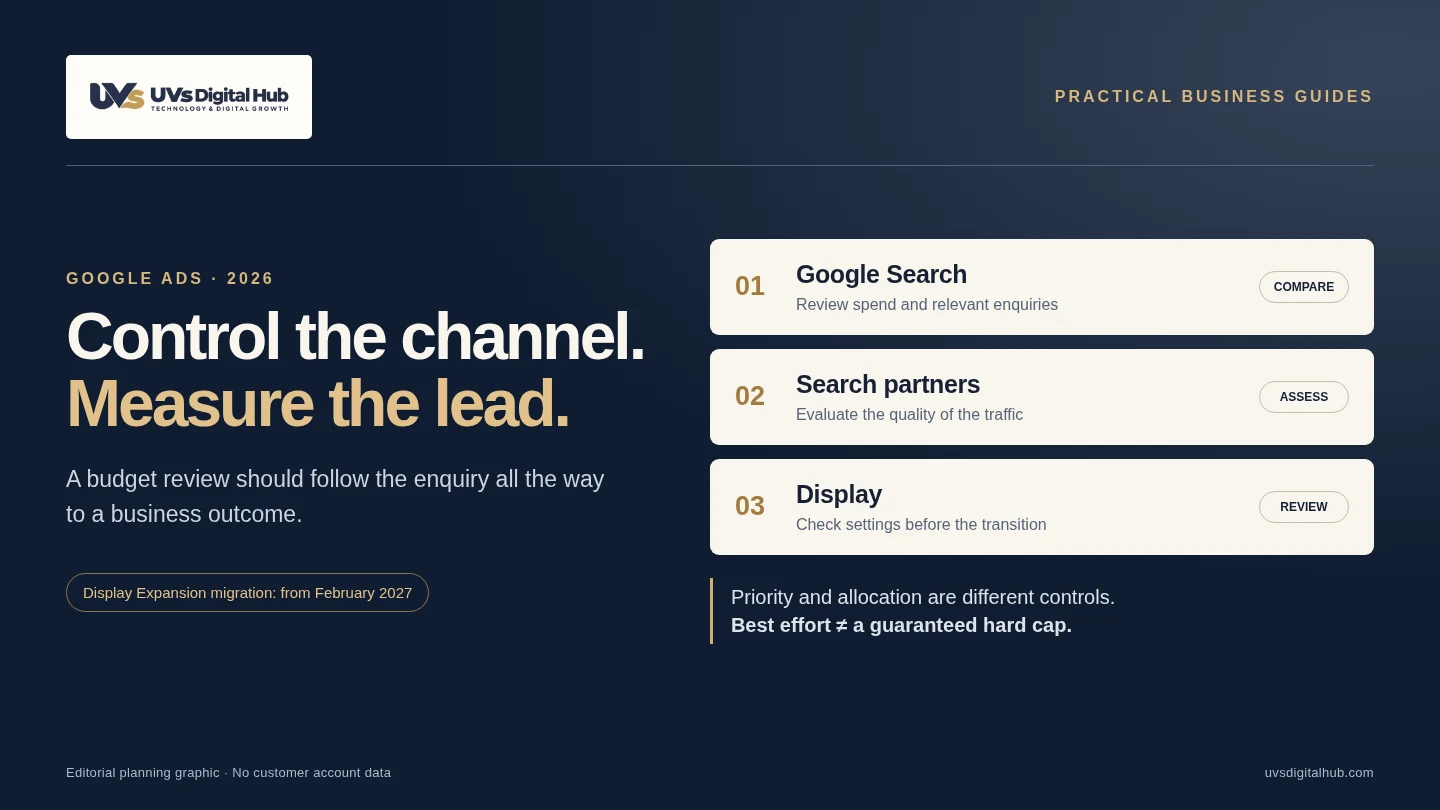
Advertisers can assign High or Low priority to eligible channels. The system favours higher-priority inventory, subject to the bidding setup, before allocating remaining budget. Eligible lower-priority channels can also receive a percentage allocation intended to constrain their spending. These are best-effort controls, not guaranteed hard caps. That distinction matters when approving a test budget. Source: Google Ads announcement.
Start by separating two decisions: where should spend be prioritised? and how much exposure are we comfortable testing? A network can be useful without deserving the same priority as your strongest source of qualified business. Equally, “Low priority” is not a verdict that its traffic is poor.
Do not copy another advertiser’s settings without examining your own campaign. A restaurant booking campaign, a consultancy selling long projects and a retailer selling online have different definitions of a useful result.
Which campaign types are included?
The rollout began progressively on 15 October 2026. Availability varies. Google’s implementation guide describes these groupings:
| Campaign | Priority groupings | Percentage allocation |
|---|---|---|
| Search | Google Search; Search partners; Display | Eligible Low-priority channels |
| Shopping | Google Search; Search partners | Eligible Low-priority channels |
| Performance Max | Google channels; Search partners; Display | Eligible Low-priority groups |
| Demand Gen | Google channels; Display | Not supported |
Performance Max does not provide a separate priority slider for every Google surface through this feature: Google surfaces are grouped together. An account default can also be overridden by eligible campaign or shared-budget settings. Document which level you are changing before saving.
An AED 1,000 example: allocation is not actual spend
Suppose you approve an average daily campaign budget of AED 1,000 and choose a 10% allocation for an eligible Low-priority channel. The calculation is AED 1,000 × 10% = AED 100. Google bases the allocation on the configured average daily budget—not the day’s actual spend—and treats it as best effort. Source: allocation calculation.
This is a calculation example, not a recommended allocation or a guaranteed spending ceiling.
If the campaign spends AED 600 on a particular day, the allocation is not automatically recalculated as AED 60. Likewise, the AED 100 figure is not a commitment that the channel will spend that amount. Your review should compare the chosen setting with actual delivery rather than assume they match.
Keep campaign budget rules separate from channel allocations. Google’s budgets overview explains that, for most campaigns, daily billed spend can reach twice the average daily budget, with a monthly limit generally based on 30.4 times that budget. Exceptions and budget changes matter. Do not describe the average daily budget itself as a fixed daily invoice amount.
The February 2027 change worth putting on your review list
Search campaigns with Display Expansion enabled will automatically move to channel prioritization and budget allocation starting in February 2027. Google says this can change the distribution of spend. Its documented setting for retaining the current configuration is Display at Low priority with a 50% daily allocation, on a best-effort basis. That is a continuity setting, not a universal performance recommendation. Source: Display Expansion guidance.
Applying the new priorities before February replaces the previous Display Expansion behaviour immediately. Google also notes that Display will no longer serve through Search campaigns using Target Impression Share as part of the change. Check the affected bid strategy rather than treating this as a cosmetic interface update. Source: migration details.
For a business owner, the practical output is a small campaign register: campaign name, current network settings, bid strategy, budget owner, planned decision and review date. Ask the person managing the account to explain any intended change in writing. It is easier to compare a documented decision with results than to reconstruct settings later.
A six-step account review before changing anything
1. Save a clean baseline
Export a representative period covering spend, conversions and meaningful sales outcomes. Note major promotions, website changes and unusual closures. There is no magic number of days: choose a period long enough to capture your sales cycle and enough completed outcomes to make the comparison useful.
2. Separate the networks
Review Google Search, Search partners and Display separately where the available reports allow. Google describes Search partners as a broader set of search-related placements and cautions that some clicks may be less targeted. That is a reason to evaluate the traffic, not automatically exclude every partner. Source: Google Search Network guidance.
3. Agree what counts as a qualified lead
For a UAE service business, a useful definition might require a relevant service, a location you cover, valid contact details and a genuine intention to proceed. Write the rule before comparing channels. A job applicant, supplier pitch or accidental tap should not be reported as an accepted sales opportunity.
4. Change one decision at a time
Avoid changing network priorities, bidding, landing pages and conversion goals simultaneously. Begin with a clearly scoped campaign or an appropriate experiment. Record the old settings, new settings, date, rationale and person authorised to reverse the test. This is our implementation recommendation, not a claim that one test design suits every account.
5. Judge lead quality alongside spend
Compare cost per qualified enquiry, sales acceptance, booked meetings and eventual revenue where reliable. A lower cost per click is not sufficient evidence of a better business outcome. Where a channel has too few outcomes to judge, label it inconclusive instead of inventing certainty.
6. Set a review and rollback rule
Agree the test budget with the owner and define what would trigger investigation: a sudden spend shift, a drop in valid enquiries, duplicate conversion reporting or a broken landing page. Use actual observed spend for financial oversight; a best-effort allocation is not a substitute for monitoring.
Do not optimise only for WhatsApp button clicks
A button click, a conversation and a sale are three different events. The click shows that someone attempted the hand-off. It does not prove that they sent a message, that your team responded, or that the enquiry matched your services.
Ask for a small measurement map: where the enquiry enters, which identifier links it to the campaign where available, who qualifies it, and how the outcome is recorded. Use a test lead to trace the process from the website to the CRM. Do not send message content or personal details into analytics event parameters.
Enhanced conversions for leads can help connect eligible first-party lead data with imported offline outcomes. It requires an appropriate implementation and compliance with Google’s customer-data requirements; it does not automatically read WhatsApp conversations or make consent unnecessary.
For example, imagine Channel A spends AED 1,200 and produces 12 accepted enquiries, while Channel B spends AED 600 and produces three. The calculated cost per accepted enquiry is AED 100 versus AED 200. These are invented numbers for demonstration—not UVs client results. They show why cheap traffic and cheap qualified opportunities are different questions.
Our earlier guide on Google Ads clicks without WhatsApp enquiries covers the wider diagnostic process. This article focuses specifically on network allocation and the upcoming Display Expansion transition.
What to ask your Google Ads team
Request a one-page answer to these questions: Which campaigns are affected? Where is their budget going now? What counts as a qualified conversion? Which setting will change? Who approved the test? When will the result be reviewed?
A useful answer should include actual account evidence and the limits of that evidence. It should not claim the new controls guarantee more enquiries, recommend the same percentage for every campaign or present an illustrative calculation as a forecast.
We can scope a review across Google Ads management, landing pages and CRM workflows, so budget decisions are assessed against business outcomes. Share your service, target locations, campaign types and how your team currently records enquiries. Discuss a campaign and measurement review.
Frequently asked questions
Should every UAE business turn Search partners off?
No blanket recommendation is appropriate. Compare your own relevant enquiries and sales outcomes with the cost of obtaining them. Use the network explanation above to understand the setting, then make an evidence-based decision.
Is a channel allocation a guaranteed cap?
No. Treat it as a best-effort control and monitor actual spend. A percentage shown in a settings panel should not replace your budget-review process.
Do the controls replace conversion tracking?
No. Allocation changes the distribution of spending; measurement tells you whether the resulting traffic achieved something useful. Improving one does not remove the need for the other.
What should I do when the setting is not visible?
Check the rollout and eligibility guidance linked above. Keep a record of the current settings and prepare the baseline review. Do not rebuild a working campaign solely to make an unavailable control appear.
Does the 50% continuity setting mean 50% of my budget should go to Display?
No. It is not a universal budget recommendation or a promise of delivery. Evaluate whether retaining the previous configuration is appropriate for your account.
Primary sources and editorial scope
Sources checked on 23 October 2026. Examples and checklists are implementation guidance; they are not customer results or a guarantee of performance or regulatory compliance.
- Google — Channel prioritization and budget allocation announcement (14 October 2026)
- Google Ads Help — About channel prioritization and budget allocation
- Google Ads Help — About Display Expansion on Search campaigns
- Google Ads Help — About budgets and spending limits
- Google Ads Help — About the Google Search Network
- Google Ads Help — About enhanced conversions