
On this page
- Start with one question: which number is supposed to match what?
- 1. Check the payment mode before you check the amount
- 2. Look for open, held or unsettled bills
- 3. Review voids, cancellations, discounts and refunds separately
- 4. Do not compare delivery-platform sales with same-day bank settlement
- 5. Check service charges, delivery charges and rounding rules
- 6. Separate cashier handover from overall branch totals
- 7. Check credit customers and part-payments
- 8. Review tax and edited invoice behaviour
- 9. Confirm the cut-off time and report period
- What to do when the totals still do not match
- Build the controls into the POS, not into a separate spreadsheet
A restaurant can finish a busy day with the correct sales total and still have a cash, card or online collection mismatch. The fastest fix is usually not to edit the number. It is to identify which control failed: payment mode, open bill, refund, credit sale, delivery settlement, cashier handover or reporting period.
If the POS does not balance, preserve the original transactions first. Compare like with like—cash with cash, card with card, sales with sales—and document the reason before correcting anything.
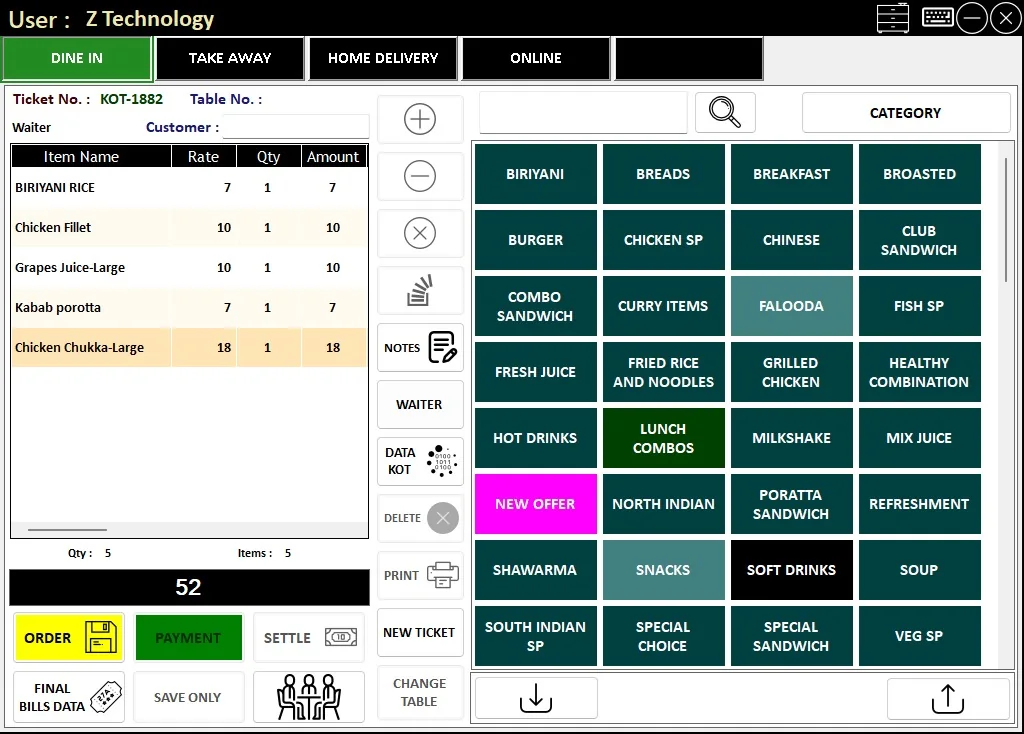
Start with one question: which number is supposed to match what?
A closing mismatch is easier to solve when the team stops treating “the total” as one number. Restaurant POS reports usually contain several totals that answer different questions: sales recorded, money collected, tax, discounts, cancellations, delivery settlements and stock movement. Two figures can both be correct and still not be expected to match.
Before changing a transaction, identify the pair you are reconciling. For example, POS cash sales should be compared with cash physically handed over, while card sales should be compared with the card terminal or payment-provider record. Online delivery sales may settle later and should not be forced into the cash figure.
- Sales total — value of completed bills after the rules your POS applies.
- Cash collection — money that should physically be in the till or handover.
- Card / online collection — amounts recorded against those payment modes.
- Delivery settlement — what a delivery platform or driver is expected to settle, which may be later than the sale date.
1. Check the payment mode before you check the amount
A surprisingly common mismatch is not a sales error at all. The bill amount is right, but the cashier selected the wrong payment mode. A card payment entered as cash makes the cash drawer look short and the card total look low at the same time.
Review unusually large transactions first, then any bill that was reopened, edited or settled close to the shift end. If your POS supports split payments, confirm that cash-plus-card transactions were actually split rather than forced into one mode.
2. Look for open, held or unsettled bills
An order can exist in the kitchen or on a table without being part of the final settled sales total. Restaurants that use hold bills, table transfers, KOTs or multiple service channels need a clean rule for what counts as closed.
Before EOD, check for open tables, held bills, unfinalised delivery orders and tickets waiting for settlement. Closing the day while those items are still active can make the next shift look wrong even when nobody has taken money.
3. Review voids, cancellations, discounts and refunds separately
Do not bury cancelled bills and discounts inside net sales. They are control items. A manager should be able to see what was cancelled, why it was cancelled, who approved it and whether any payment had already been taken.
Refunds deserve the same treatment. A refund today may relate to a sale from an earlier day. If the POS only shows a single net figure, staff can spend time trying to reconcile a difference that is actually a legitimate reversal.
4. Do not compare delivery-platform sales with same-day bank settlement
A restaurant can record a delivery sale today while the platform settles the money later, after commission or adjustments. That means sales by channel and cash received today are different controls.
Keep dine-in, takeaway, own-delivery and external delivery channels visible in the EOD report. If a platform settlement is expected later, record the receivable or settlement reference instead of forcing the sales total to match the bank account on the same day.
5. Check service charges, delivery charges and rounding rules
Small differences often come from charges that sit outside the item subtotal. Delivery charges, service charges, tips, rounding and manual price adjustments can all create confusion if the team looks only at the menu-item total.
Your closing report should show these adjustments clearly enough that a cashier does not have to reconstruct them from printed bills.
6. Separate cashier handover from overall branch totals
If two cashiers use the same branch during the day, the branch may balance while one shift does not. Cashier-wise reporting makes responsibility clear and reduces the temptation to move a difference from one drawer to another.
At handover, record the expected cash, counted cash, variance and note. A small documented variance is more useful than a “perfect” total created by changing transactions after the fact.
7. Check credit customers and part-payments
Credit sales and part-payments can make revenue and collection look different by design. A customer may receive an invoice today but pay later; another may pay a deposit now and the balance at delivery.
The system should distinguish sale value, amount collected and amount still outstanding. If those are mixed into one figure, EOD reconciliation becomes guesswork.
8. Review tax and edited invoice behaviour
For VAT-registered UAE businesses, tax reporting needs to remain traceable to the underlying transactions. An edit, cancellation or credit note should not silently rewrite history without a clear audit trail.
The exact tax treatment depends on the transaction and should follow your accountant’s and the Federal Tax Authority’s requirements. From an operations perspective, the POS should make the VAT amount and any adjustments visible rather than hiding them inside a final total.
9. Confirm the cut-off time and report period
A restaurant that trades after midnight can easily compare two reports covering different periods. One system may use the calendar day, another may use the work period, and a payment terminal may settle on its own cut-off.
Define the closing period once. If your restaurant runs until 2:00 AM, make sure the sales report, cashier handover and payment comparison refer to the same operational day.
What to do when the totals still do not match
Do not start editing bills until the report looks right. Use a short investigation sequence: payment mode → open bills → cancellations/refunds → delivery settlements → split/credit payments → cashier handover → charges/rounding → report period.
- Record the variance before making a correction.
- Write the reason for any adjustment.
- Keep the original transaction trail where the system supports it.
- Escalate repeated differences instead of normalising them.
- Use the next EOD review to confirm the same issue did not repeat.
Build the controls into the POS, not into a separate spreadsheet
A restaurant POS should reduce the number of manual reconciliations needed at closing. The useful question is not whether the software can print a sales total; it is whether the team can explain the day without opening five other files.
For a restaurant operation, we normally look for payment-wise collection, cashier-wise sales, cancelled bills and discounts, dine-in/takeaway/delivery splits, VAT summary, stock/item movement and a clear daily profit view. Those are the controls that make the closing routine useful rather than decorative.
This guide is based on the reconciliation problems we account for when working on restaurant POS flows: dine-in, takeaway and delivery, KOT, payment modes, credit customers, VAT reporting, cashier activity and EOD summaries. It extends our earlier restaurant EOD checklist into the specific case where the numbers do not balance.
Common questions
Should cash sales always equal the cash in the drawer?
Only when every cash transaction, refund, cash expense and handover is recorded consistently. A difference should be investigated against the specific cash controls rather than assumed to be theft or a software error.
Why can card sales be different from the amount settled to the bank?
The POS records the sale at transaction time, while a payment provider may settle later and may group transactions differently. Compare the POS card total with the payment terminal/provider record for the same period before comparing it with the bank.
Should we edit a payment mode after EOD to make the report balance?
Correct genuine data-entry errors through the normal authorised process, but do not change transactions only to force a match. Keep a reason and audit trail for corrections.