
On this page
- 1. Service catalogue with clear pricing
- 2. Quotation to invoice without retyping
- 3. Job management and status
- 4. Customer credit and outstanding balances
- 5. Payment and receipt management
- 6. Daily and monthly reporting
- 7. User permissions and audit history
- 8. Customer document handling
- 9. Search that works at the counter
- 10. VAT-ready billing and reports
- 11. E-invoicing readiness without misleading claims
- 12. Backup, support and data export
Typing centres do more than issue invoices. They manage service jobs, customer documents, government or third-party fees, receipts, credit balances, pending work and staff follow-up. A generic billing package can record a sale while still leaving the operational work in notebooks and WhatsApp.
Evaluate typing-centre software as a job-and-money workflow, not only an invoice screen. The useful system connects the service request, customer, payment, job status and report.
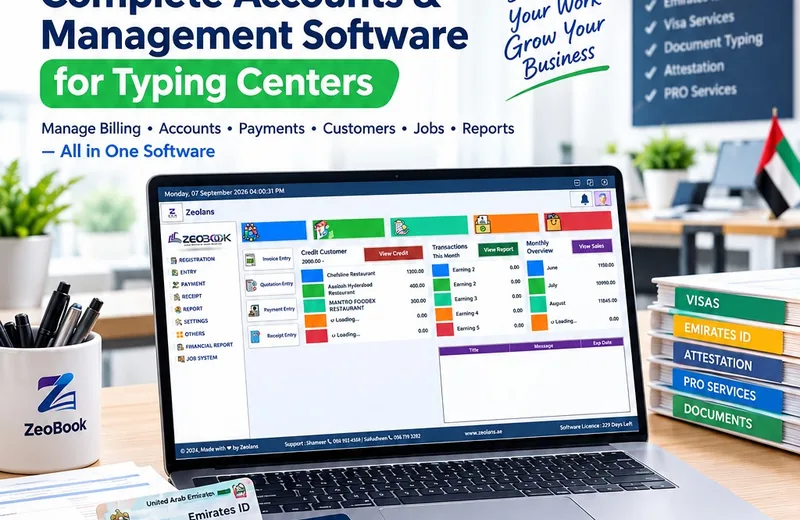
Service catalogue with clear pricing
The system should let you define the services you actually sell and keep pricing controlled. Where the customer price includes several components, decide whether the invoice needs separate lines or a combined service line.
Avoid free-text service names for routine work. Standardised services improve reporting and reduce spelling variations.
Quotation to invoice without retyping
A quotation should be able to become an invoice or job without staff entering the same customer and service information again. If approvals or price changes are required, the revised commercial record should remain traceable.
Job management and status
The customer may pay before the external process is complete. That means billing status and job status are not the same thing. Track stages such as received, submitted, pending document, ready and completed according to your operation.
The system should make overdue or stuck jobs visible without staff searching through old messages.
Customer credit and outstanding balances
For corporate or repeat customers, support partial payments, outstanding amounts and receipts. Staff should be able to answer “what does this customer still owe?” without manually combining several invoices.
Payment and receipt management
Cash, card, bank transfer and other payment modes should be recorded consistently. If one invoice has multiple payments, keep the relationship clear. A receipt should reference what the payment settled.
Daily and monthly reporting
Management should be able to review service sales, payments collected, outstanding credit, job status and staff activity. A monthly overview should not require rebuilding totals in Excel if the source transactions are already in the system.
User permissions and audit history
Reception staff, accountants and managers may need different access. Decide who can cancel an invoice, change a price, issue a receipt or edit a completed job. Important corrections should remain traceable.
Customer document handling
If the software references customer documents, define whether the actual file is stored in the application, linked securely elsewhere, or deliberately kept outside the system. Sensitive identity documents deserve clear access controls and retention rules.
Search that works at the counter
Staff should be able to find a customer or job quickly by practical identifiers such as phone number, invoice, receipt or job reference. Search is a day-to-day productivity feature, not a cosmetic one.
VAT-ready billing and reports
For VAT-registered businesses, invoice fields and tax reporting need to fit the applicable UAE VAT requirements. Ask to see how taxable values and VAT totals appear in reports, not just on the printed invoice.
E-invoicing readiness without misleading claims
The UAE e-invoicing programme is based on structured invoice data exchanged electronically. The Ministry of Finance explicitly notes that PDFs, Word documents, images, scanned copies and emails are not eInvoices by themselves.
So the useful software question is whether your system can produce and exchange the required structured data through the official framework and an Accredited Service Provider when the rules apply to your business—not whether the vendor simply adds “e-invoice” to a brochure.
Backup, support and data export
Typing centres often depend on the system throughout the working day. Understand backup frequency, restore procedures, update support and how core data can be exported. A system should not hold your customer and transaction data hostage.
UVs billing software work for typing centres includes invoice/quotation, customer credit and outstanding balances, payment/receipt records, job management, monthly overview and sales/financial reporting. We recommend testing those flows with real service examples before rollout.
Common questions
Can one customer have several open jobs?
Yes, the data model should allow multiple jobs and transactions while keeping one customer history. The exact structure depends on how your centre operates.
Does a PDF invoice count as UAE e-invoicing?
The UAE Ministry of Finance states that unstructured formats such as PDF, Word, images, scanned copies and emails are not eInvoices by themselves.
Should the software store Emirates ID or passport copies?
Only if there is a clear business/legal need and the system has appropriate access, security and retention controls. Otherwise it may be better to reference a secure document-management process rather than duplicate sensitive files.